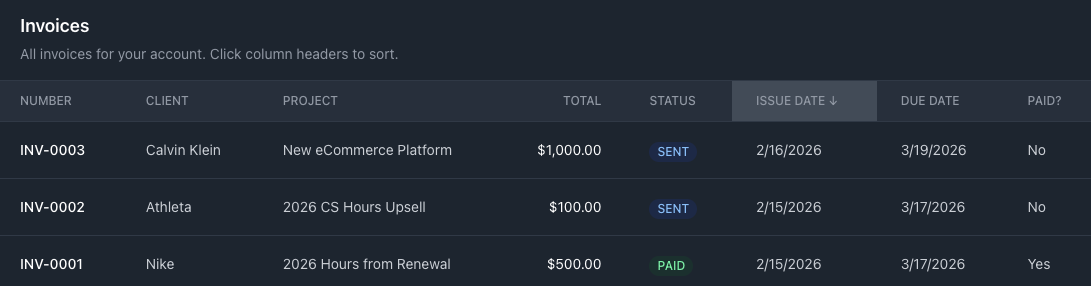
Invoicing & Invoice Reports
Turn tracked time into client invoices without re-entering data. Create invoices from project tasks, send them directly to clients, mark payments, and report on outstanding and paid amounts — all in one place. See the full Invoicing & Invoice Reports documentation for a complete walkthrough.
Create an invoice from tracked time
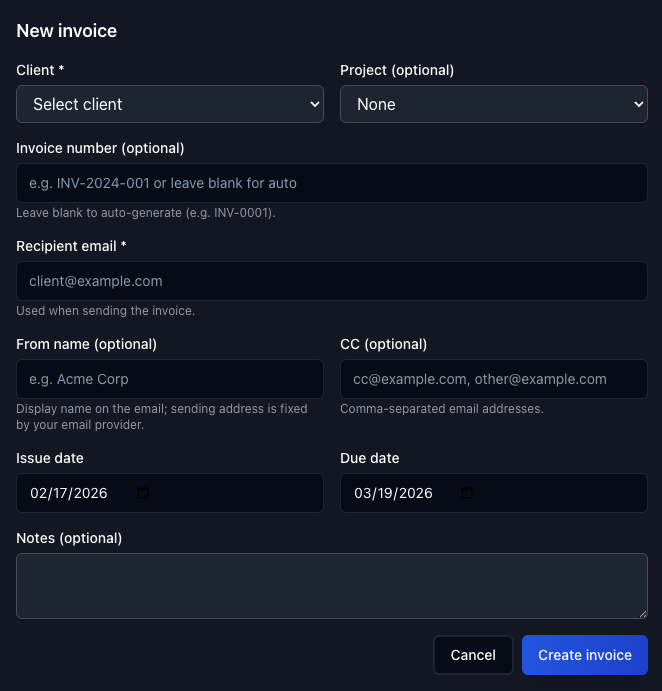
When creating a new invoice, you can customize the "From" name and select the corresponding project. Tail AI surfaces the tasks associated with that project — along with the hours logged — so you can add them to the invoice directly. No manual re-entry required.
Send, edit, and mark as paid
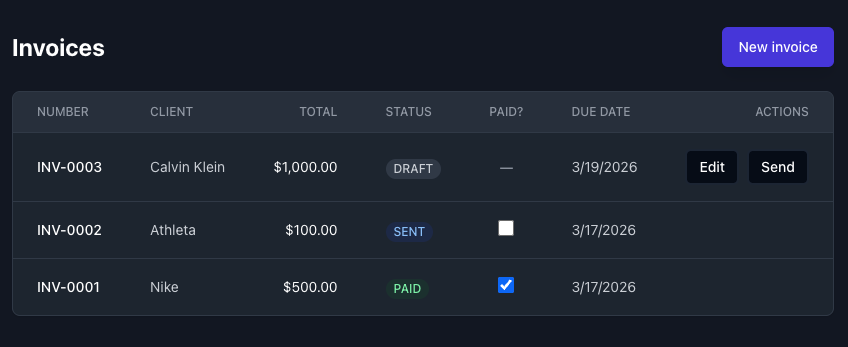
Once an invoice is created, it appears on the Invoices page where you can review and edit it before sending. When the client pays, mark the invoice as paid to keep your records up to date.
Report on invoices
The Reports page includes an invoice list view where you can filter by paid or unpaid status and by value amounts. Get a clear picture of outstanding revenue and billing history across all your clients and projects.