Journal AI
Journal AI turns your screen activity into suggested tasks. The Tail AI Companion app captures screenshots of what you're working on; AI analyzes them and surfaces task suggestions in My Day on your dashboard and in the Journal AI page. You stay in flow—tasks are proposed from context instead of manual entry.
How it works
Companion app captures your screen
The Tail AI Companion runs in the background and takes screenshots of your activity (e.g., apps, browser, documents). Only the images needed for analysis are used; processing is done under our privacy and data-use policies.
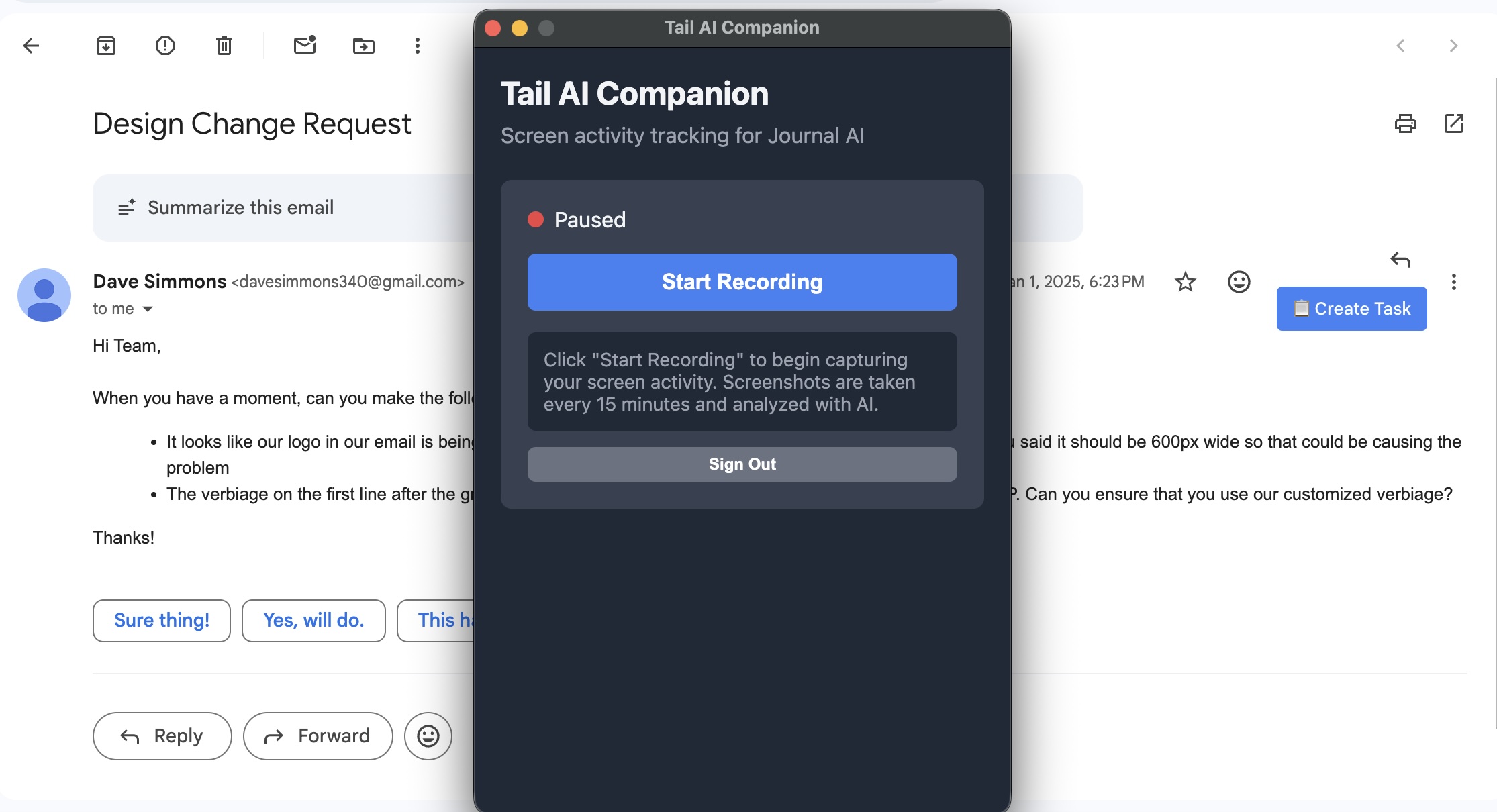
AI suggests tasks from context
Screenshots are analyzed to infer what you're doing (e.g., writing a doc, reviewing code, replying to email). From that, Journal AI proposes tasks that match your actual work.
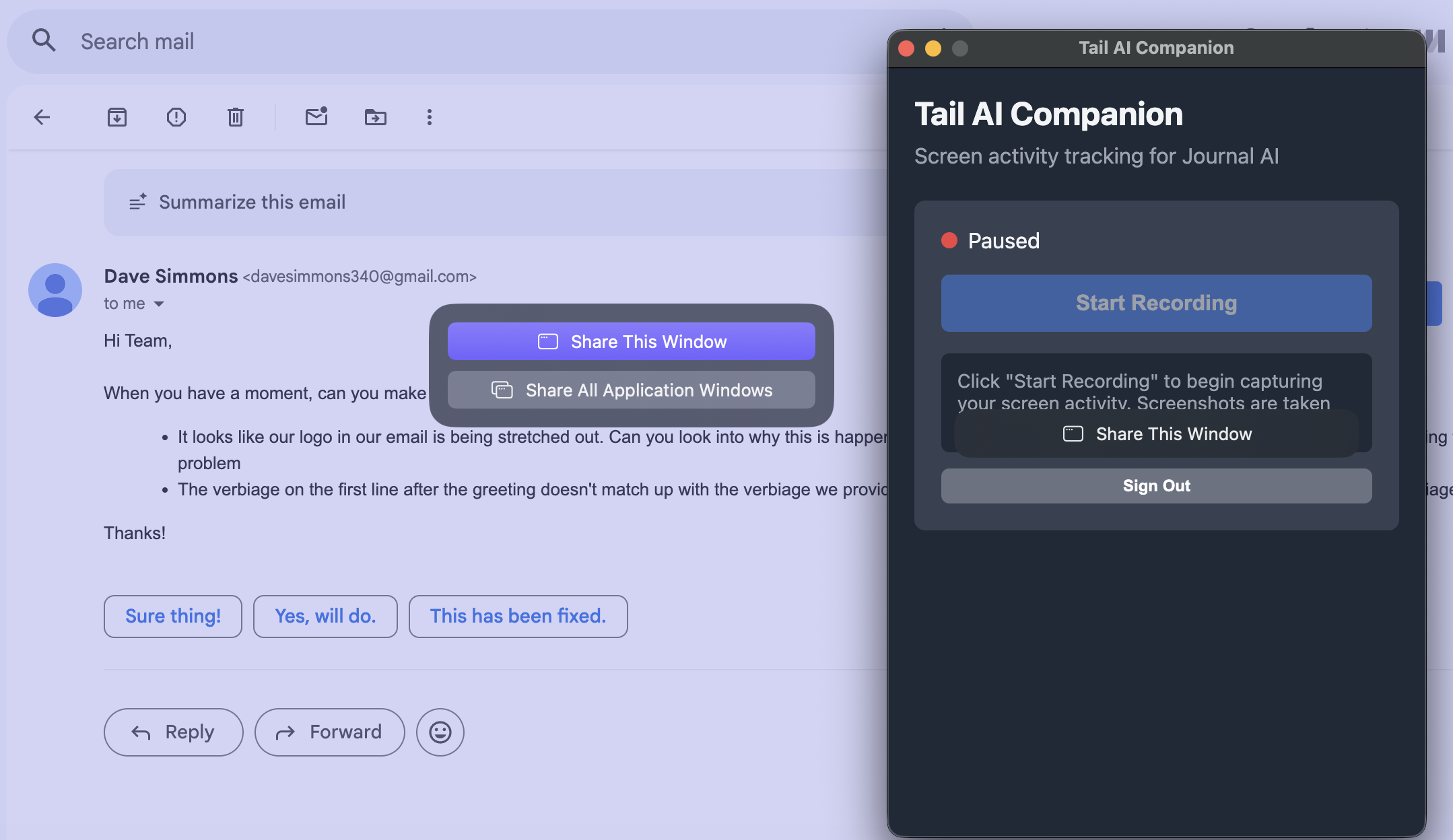
When you turn on recording, you can select a specific window to capture, choose all windows, or share your entire screen.
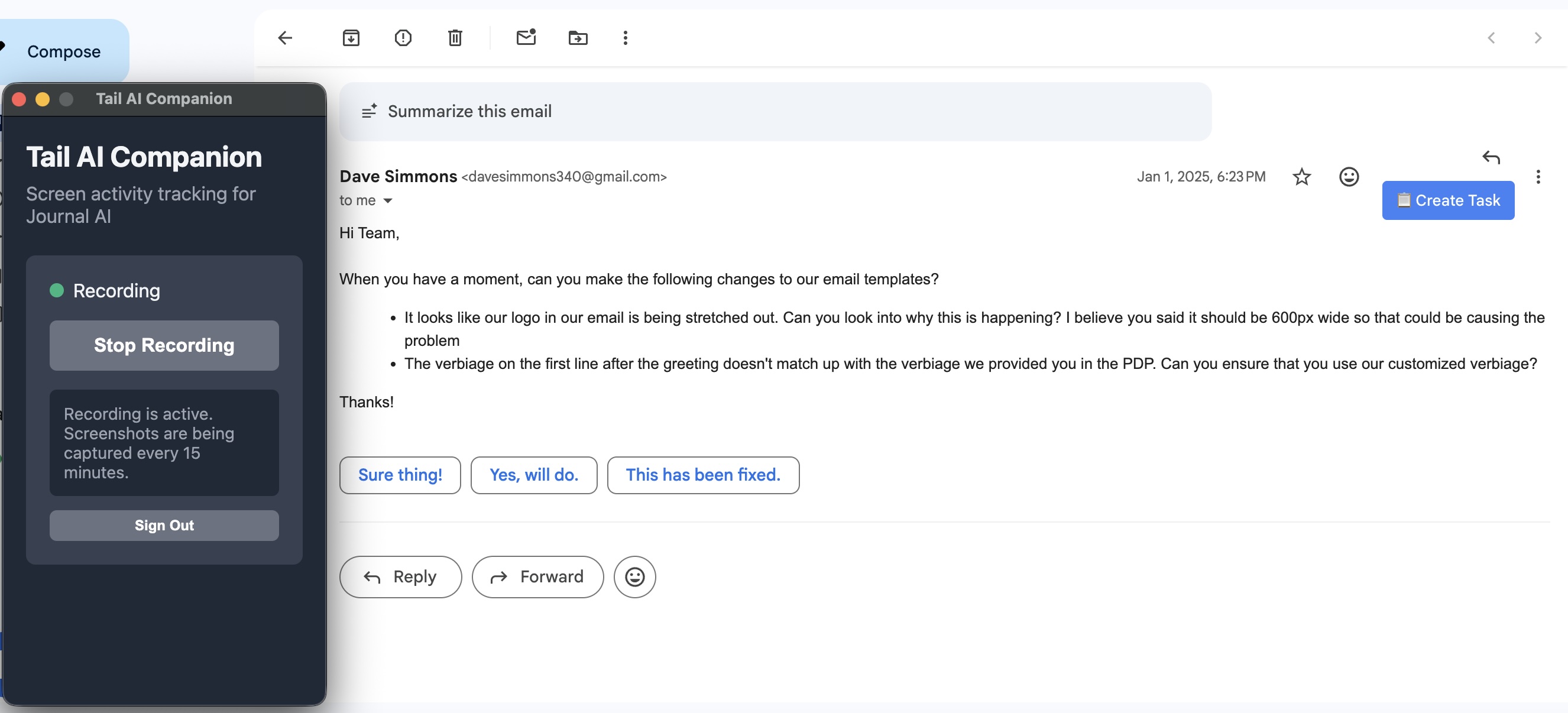
Once a source is selected, the Companion confirms it's actively recording. You can turn it off at any time.
Suggestions appear in two places
My Day — A short, at-a-glance view of today's suggested tasks and screen activity so you can quickly add or ignore them.
Journal AI page — The full list of screen-based suggestions: turn any into a real task, attach to a project, or dismiss.
My Day element on the dashboard
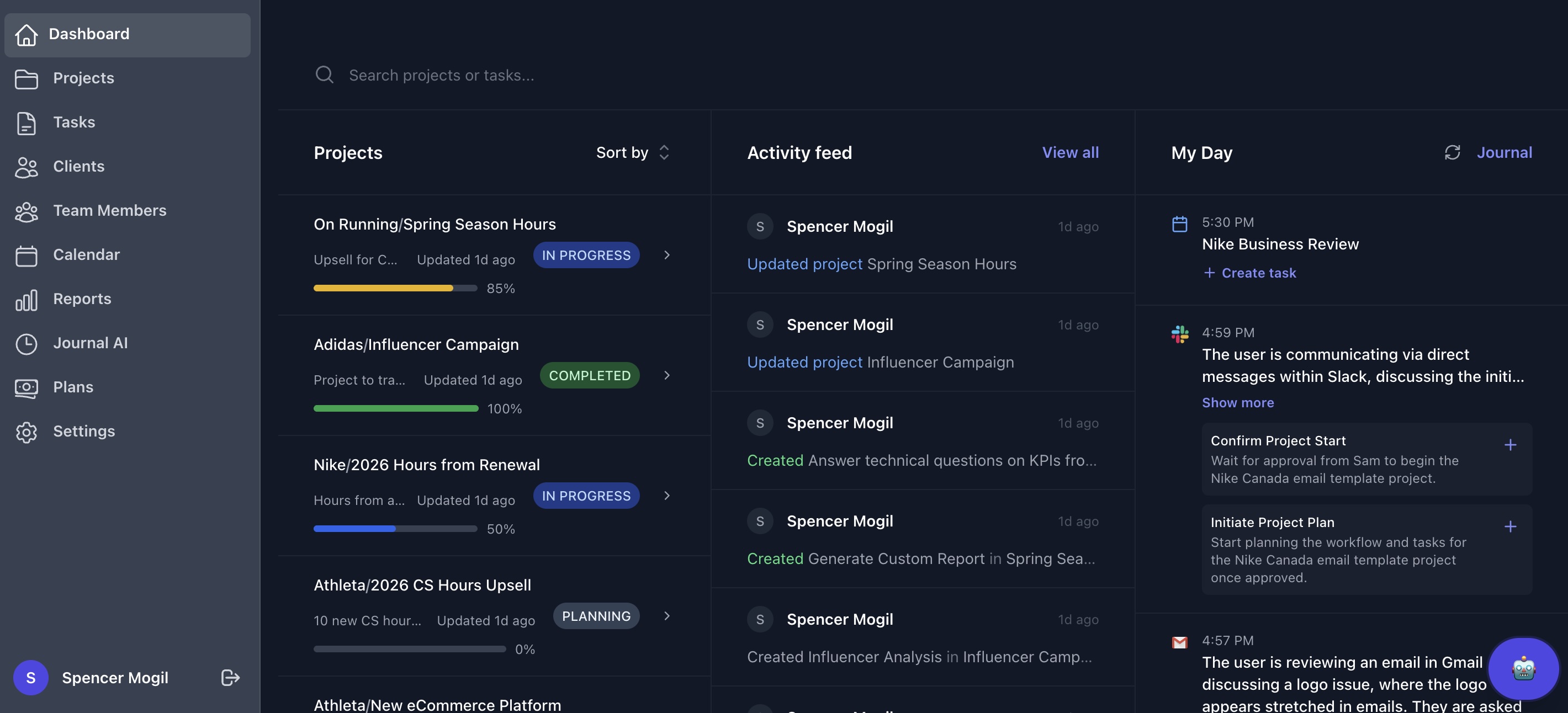
Journal AI page
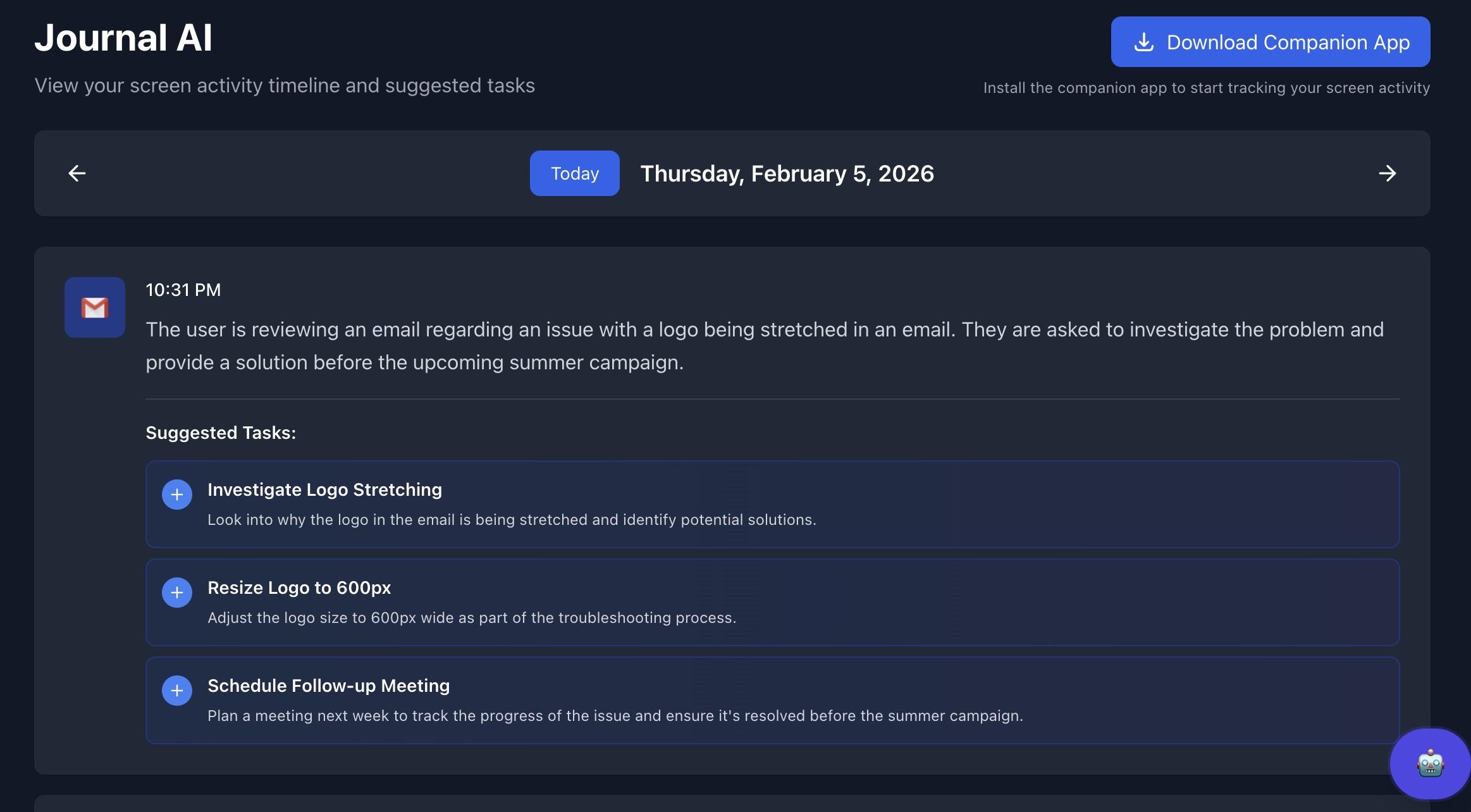
You decide what becomes a task
From My Day or Journal AI, you can create a task from a suggestion, edit the title and details, assign a project, or ignore it. Nothing is created until you confirm.
Where to find it
My Day — Dashboard (home) → "My Day" column. Suggested tasks and screen activity for today.
Journal AI — Left navigation → Journal AI. Full journal of screen-based suggestions and the option to turn any into a task.
Requirements
Tail AI Companion app — Must be installed and running to capture screen activity.
Paid plan — Journal AI (and screen activity in My Day) requires a Pro or Enterprise subscription.
Account linking — Companion must be signed in to the same Tail AI account as the web app.